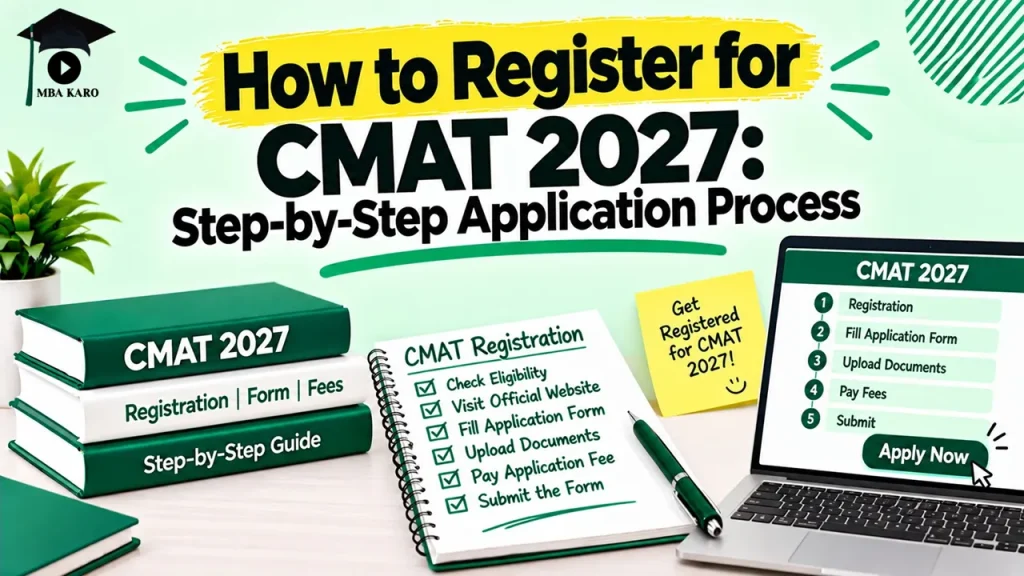
Candidates planning to appear for CMAT 2027 must complete the online registration, fill in their application details, upload the required documents, and pay the examination fee.
The application process involves four main steps, ending with the download of the confirmation page.
The National Testing Agency (NTA) conducts the Common Management Admission Test (CMAT) for admission to management programmes.
Candidates should check the official CMAT 2027 notification for the registration dates, eligibility requirements, application fee, and document specifications before applying.
The fee details mentioned below are expected estimates based on the previous application guidelines, not confirmed CMAT 2027 fees.
CMAT 2027 Registration: Documents Required
Keep the following details and documents ready before opening the application form. Preparing them in advance can help avoid errors and delays during submission.
- Personal details: Name, date of birth, contact number, email address, and other information requested in the form.
- Academic details: Information about qualifying examinations, educational qualifications, and the university or programme choices required in the application.
- Recent photograph: A clear colour or black-and-white photograph with a white background. Around 80% of the image should show the face, including the ears, without a mask.
- Scanned signature: A legible image of your signature.
- PwD/PwBD/UDID certificate: Required for applicable candidates claiming the relevant provisions.
- Scribe-related documents: Candidates using a scribe may need to upload the scribe’s photograph, signature, qualification certificate, and an undertaking if they intend to use their own scribe.
- Payment method: Keep access to net banking, a credit card, a debit card, or UPI for the application fee.
How to Register for CMAT 2027 Online?
The CMAT application process has four steps: registration, application form completion, fee payment, and confirmation page download. Follow each step carefully.
Step 1: Complete CMAT 2027 Registration
Visit the official CMAT website when NTA opens registration for 2027.
Read the Information Bulletin before entering your details to check the eligibility conditions and application instructions. Follow these steps to register:
- Open the CMAT 2027 registration section on the official website.
- Enter the personal and contact details requested in the registration form.
- Create a password for your account.
- Select a security question and enter its answer.
- Submit the registration details.
- Note down the system-generated application number.
Step 2: Fill Out the CMAT 2027 Application Form
Log in using your application number and the password created during registration.
Complete all the required sections before proceeding to payment. The application form may ask you to provide the following details:
- Personal information: Verify the details entered during registration and complete any remaining fields.
- Educational qualifications: Enter the academic information requested in the form.
- University and programme preferences: Select the relevant options available in the application.
- Test-related details: Fill in the examination information requested by NTA.
- Examination city preferences: Choose your preferred test cities from the available options.
- Document uploads: Upload your photograph, signature, and applicable certificates in the prescribed format.
Review every section before submitting the form. Check the spelling of your name, contact details, academic information, and selected examination cities.
Incorrect entries may create problems later, particularly if the correction window does not allow the required changes.
Step 3: Upload the Photograph, Signature and Required Certificates
NTA specifies the acceptable file formats and size limits for uploaded documents. Based on the previous application instructions, candidates should prepare the following files:
Photograph
- Format: JPG/JPEG
- File size: 10 KB to 200 KB
- Requirements: Recent, clearly visible, white background, and approximately 80% face visibility, including ears, without a mask.
Signature
- Format: JPG/JPEG
- File size: 10 KB to 50 KB
- Requirements: Scanned image with a clear and legible signature.
PwD/PwBD/UDID certificate, if applicable
- Format: PDF
- File size: 50 KB to 300 KB
Documents for candidates using a scribe, where applicable
- Scribe’s photograph: JPG/JPEG, 10 KB to 200 KB
- Scribe’s signature: JPG/JPEG, 10 KB to 50 KB
- Scribe’s qualification certificate: PDF, 50 KB to 300 KB
- Undertaking for using your own scribe: PDF, 50 KB to 300 KB
These specifications are based on the earlier application guidelines and should be rechecked against the CMAT 2027 Information Bulletin before uploading files.
A document that exceeds the permitted size or uses an unsupported format may not be accepted.
Step 4: Pay the CMAT 2027 Application Fee
After completing the registration and application form, proceed to the payment section. NTA accepts online payment through the methods specified in the application portal, which have previously included:
- Net banking
- Credit card
- Debit card
- UPI
The payment gateway or bank may charge additional processing fees and applicable GST over the examination fee.
Before making the payment, verify the amount displayed on the portal and ensure that the transaction is completed successfully. If a payment is pending or unsuccessful, check its status before attempting another transaction to avoid duplicate payments.
Step 5: Download the CMAT 2027 Confirmation Page
Paying the application fee is not the final step. Your application is considered successfully submitted only after the prescribed fee has been received and the confirmation page becomes available.
After successful payment, check whether the confirmation page is available on the application portal. Download the page and save a digital copy. Print a copy for your records. Keep it with your application number and payment details.
The confirmation page serves as evidence that your application submission has been completed. If the fee has been deducted but the confirmation page is unavailable, check the transaction status and follow the instructions provided by NTA.
CMAT 2027 Application Fee (Expected)
The following amounts are estimates based on the previous CMAT application fee structure. NTA may revise the fees for CMAT 2027, so candidates should rely on the amount announced in the official notification.
- General category (UR): ₹2,500 for male candidates and ₹1,250 for female candidates.
- Gen-EWS, SC, ST, PwD/PwBD and OBC-NCL: ₹1,250 for male and female candidates.
- Third gender: ₹1,250.
Applicable payment processing charges and GST may be added to the examination fee.
Check the category selected in your application and the final amount displayed before completing the transaction.
Common Mistakes to Avoid During CMAT 2027 Registration
Small errors can complicate the application process. Check these points before submitting the form:
- Entering incorrect personal details: Match your entries with the relevant official documents and follow the form’s instructions.
- Uploading unsuitable images: Check the photograph’s background, visibility, format, and file size.
- Providing incomplete academic information: Fill in all mandatory qualification fields accurately.
- Selecting the wrong examination city: Review your preferences before final submission.
- Ignoring payment status: A deducted amount alone does not establish that the application has been confirmed.
- Failing to save the confirmation page: Download and store it immediately after it becomes available.
Conclusion
Complete CMAT 2027 registration carefully, check every entry before submission, and save the confirmation page after successful payment.
Once the application is complete, focus on preparation across Quantitative Techniques and Data Interpretation, Logical Reasoning, Language Comprehension, and General Awareness.
MBA Karo’s CMAT Online Course can help candidates prepare for the examination with structured lessons, practice questions, and mock tests.
Regular practice and mock-test analysis can help you identify weak areas, improve accuracy, and manage time more effectively before CMAT 2027.
CMAT 2027 Registration: FAQs
Q. When will CMAT 2027 registration begin?
A. NTA’s official CMAT 2027 notification will confirm the registration start date and deadline. Check the official examination website for the latest announcement.
Q. How can I apply for CMAT 2027?
A. Register online, save your application number, complete the application form, upload the required documents, pay the fee, and download the confirmation page.
Q. What is the expected CMAT 2027 application fee?
A. Based on the previous fee structure, the expected amount ranges from ₹1,250 to ₹2,500, depending on the category and gender specified in the fee schedule. The final fee will be confirmed by NTA.
Q. Which documents are required for CMAT 2027 registration?
A. Candidates should prepare a recent photograph, scanned signature, academic details, and applicable certificates. Candidates using a scribe may need additional documents.
Q. Can I complete CMAT registration and fee payment separately?
Previous instructions have allowed candidates to complete the registration, application form, and payment steps together or at different times. However, the application is confirmed only after successful receipt of the prescribed fee.
Q. Is the CMAT 2027 application complete after fee payment?
A. Not necessarily. Download the confirmation page once it becomes available. Keep a copy as proof of successful submission.